Meet

Export and Manage Design Systems with Ease

Powering seamless collaboration across modern product teams.

crypto-platform-dashboard

Built for Seamless Workflows

Streamline collaboration from design to development with one connected workflow

Figma Plugin

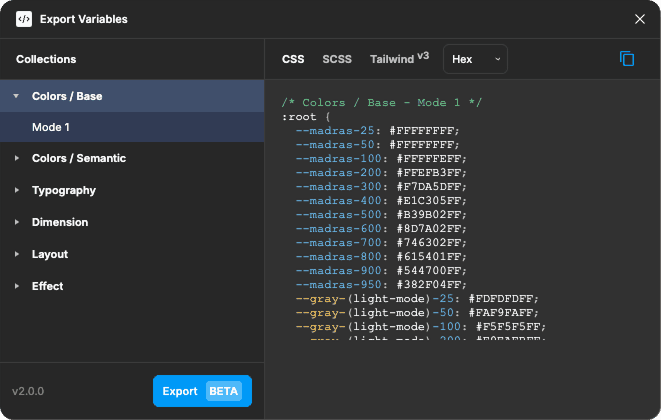
Export Design Tokens Into Code

Turn your Figma variables into clean, production-ready code in seconds using our Figma plugin. Export across multiple formats: CSS, SCSS, Tailwind, React Native, Flutter, iOS, and Android.

Multi Format

Dev Ready

Instant Export
System Management

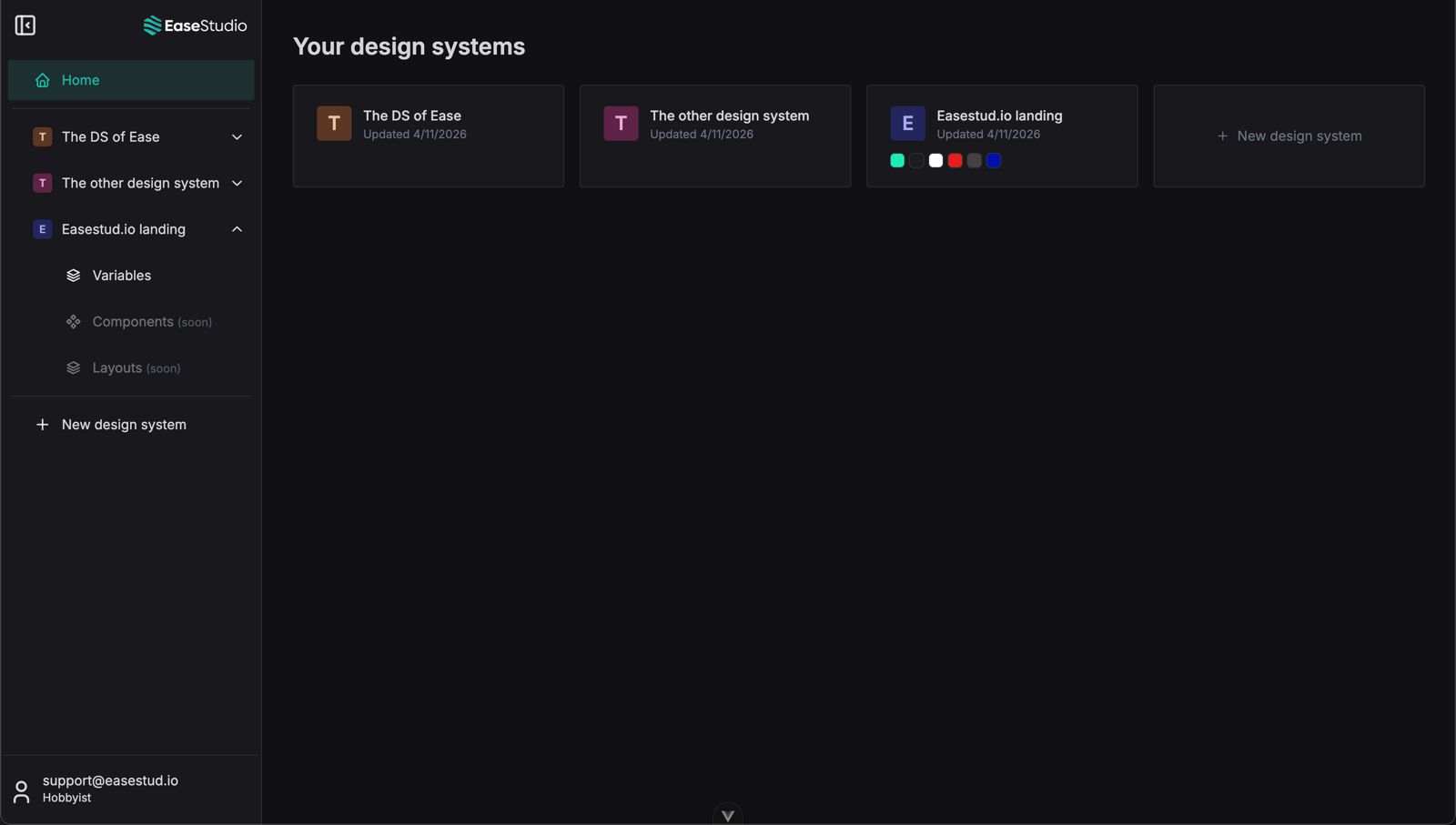
Manage Multiple Design Systems

Organize and manage multiple design systems from one centralized platform. Filter tokens, customize exports, and configure naming conventions.

Centralized Hub

Organized Access

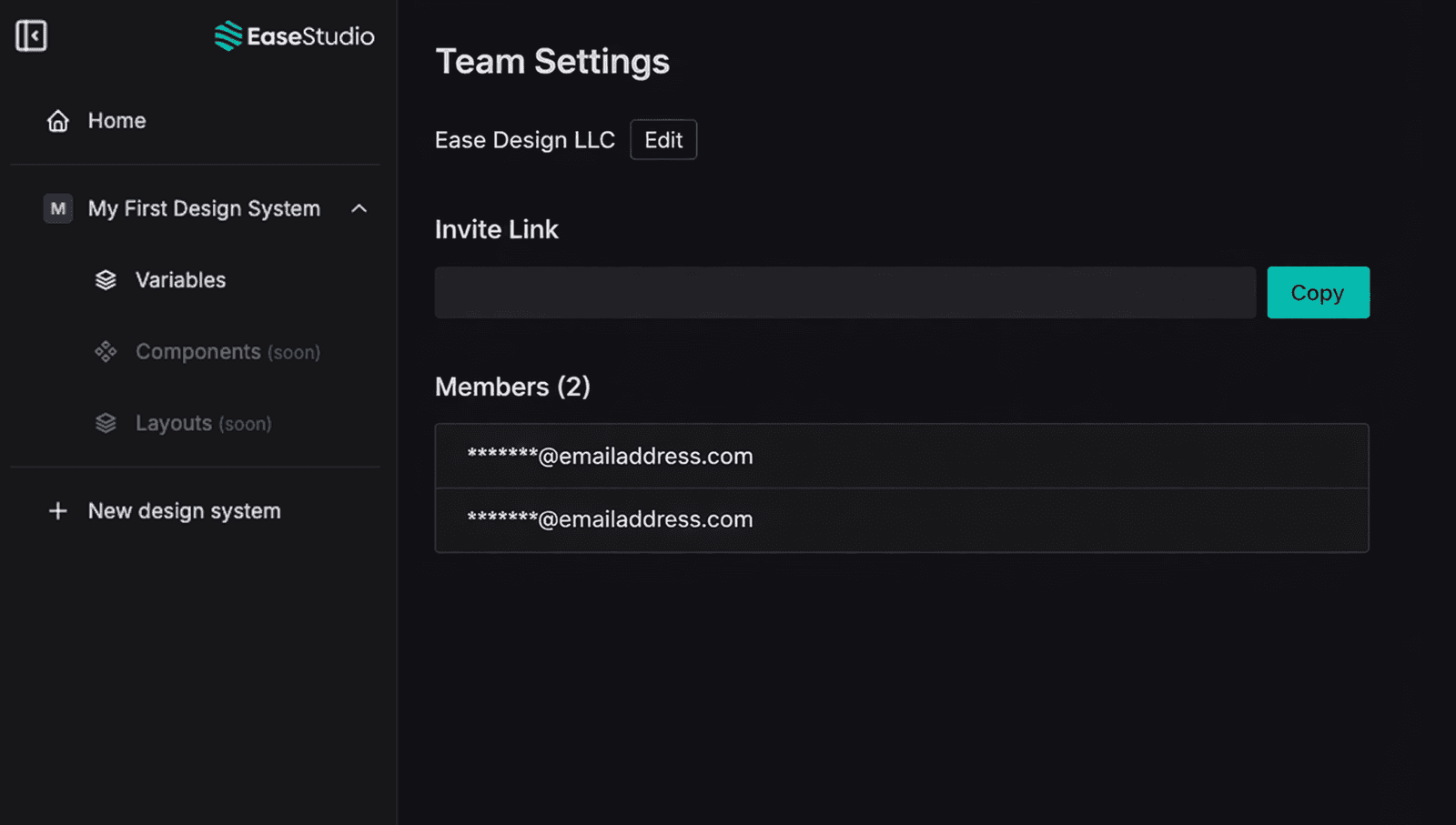
Team Collaboration

Share Systems Across Your Team

Share design systems across your team through a centralized dashboard with real-time sync and accessible export history.

Live Updates

Shared Workspace
Deployment

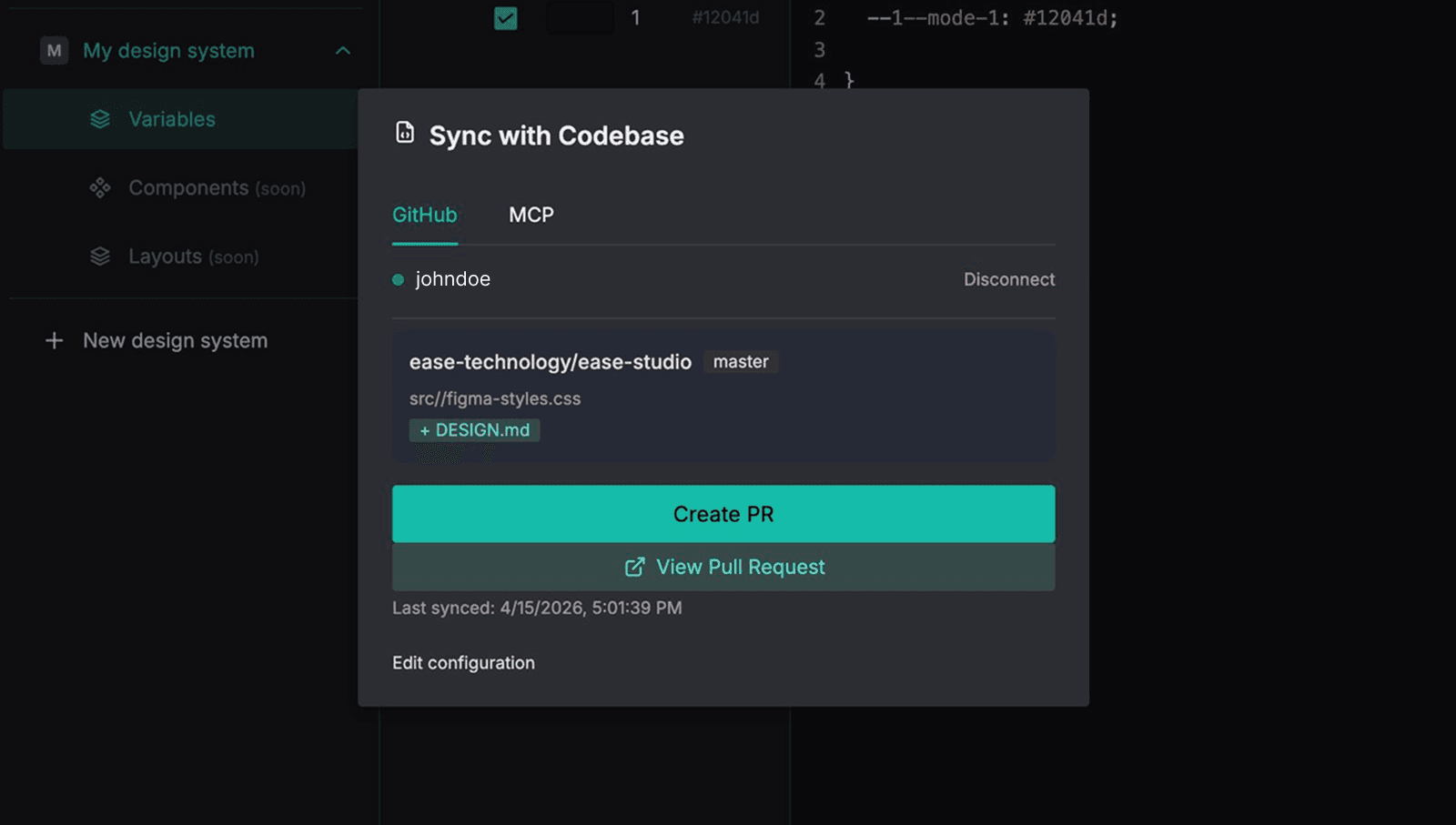
Sync Handoff Between Design and Development

Copy, download, or sync your design systems your way, with advanced integrations through GitHub and MCP. Built to fit seamlessly into modern development environments.

GitHub Sync

MCP Ready

Flexible Export

Benefits

Improve Every Stage of Your Workflow

Teams lose 5-10 hours weekly on design-dev alignment issues. That represents $2,000-4,000 per designer every month in wasted time.

Save Time

Eliminate manual token copying between Figma and code with faster, streamlined workflows.

Reduce Costs

Reduce costly delays, wasted resources, and workflow inefficiencies that impact productivity and operational spend.

Eliminate Rework

Minimize unnecessary revisions, repeated fixes, and endless clarification cycles across teams.

Stay Synced

Keep design systems aligned across platforms and connected through modern integrations.

Align Team

Reduce coordination overhead and keep projects moving efficiently across teams.

Scale Easily

Manage growing design systems with structure built for long-term scalability as your team and workflow evolve.

Our Process

A Simpler Design-to-Dev Workflow

Designed to simplify every stage of the handoff process, from design creation to development delivery.

Step 1

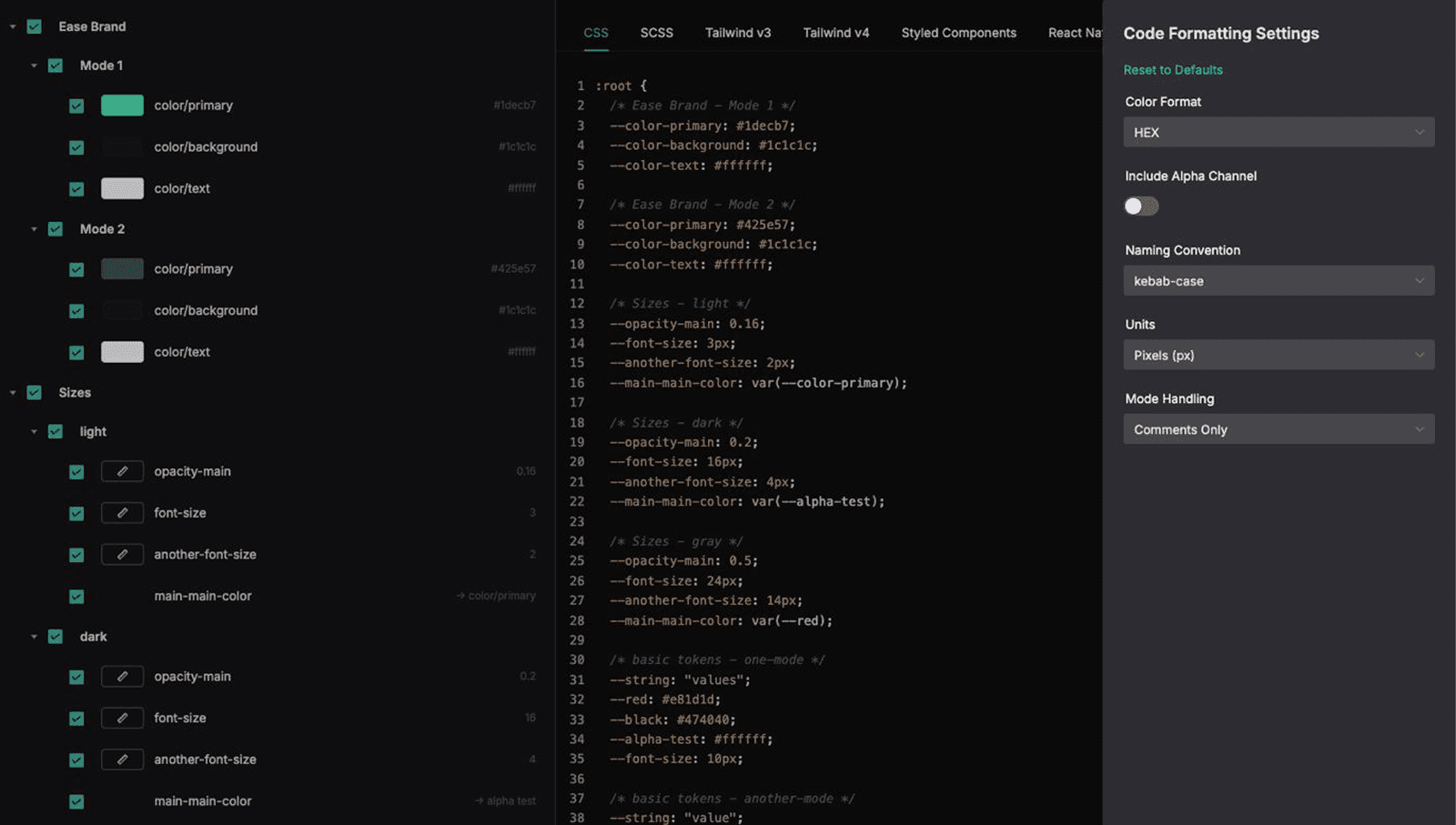
Export Tokens from Figma

Turn Figma variables into clean, production-ready code through our plugin in just a few clicks.

  • :root {

    /* Ease Brand - Mode 1 */
    --color-primary: #1decb7;
    --color-background: #1c1c1c;
    --color-text: #ffffff;

    /* Ease Brand - Mode 2 */
    --color-primary: #425e57;
    --color-background: #1c1c1c;
    --color-text: #ffffff;

    /* Sizes - Light */
    --opacity-main: 0.16;
    --font-size: 3px;
    --another-font-size: 2px;
    --main-main-color: var(--color-primary);

    /* Sizes - dark */
    --opacity-main: 0.2;
    --font-size: 16px;
    --another-font-size: 4px;
    --main-main-color: var(--alpha-test);

  • :root {

    /* Ease Brand - Mode 1 */
    --color-primary: #1decb7;
    --color-background: #1c1c1c;
    --color-text: #ffffff;

    /* Ease Brand - Mode 2 */
    --color-primary: #425e57;
    --color-background: #1c1c1c;
    --color-text: #ffffff;

    /* Sizes - Light */
    --opacity-main: 0.16;
    --font-size: 3px;
    --another-font-size: 2px;
    --main-main-color: var(--color-primary);

    /* Sizes - dark */
    --opacity-main: 0.2;
    --font-size: 16px;
    --another-font-size: 4px;
    --main-main-color: var(--alpha-test);

Step 2

Manage in Ease Studio

Store every export in one centralized workspace built to organize your design systems with ease.

Design Systems

Export Settings

Naming Rules

Token Filters

Export History

Step 3

Collaborate Across Teams

Keep your team aligned by sharing systems, syncing updates, and tracking every change.

Team Workspace

Shared across members

Live Updates

Changes synced in real time

Access Control

Permissions managed securely

Step 4

Deploy Into Your Workflow

Copy, download, or sync your systems directly into modern development environments.

Pricing

Simple Pricing for Every Stage of Your Workflow

From simple token conversion to full team collaboration and development sync.

Monthly

Annually

Starter (Figma Plugin)

FREE

Perfect for testing out token-to-code workflows

What's Included:

Convert Figma variables into code

Copy & paste output

CSS, SCSS, Tailwind formats

Full export formats (Web & Mobile)

Team collaboration

Download code files

Naming, units, color & mode control

Export history

GitHub integration

MCP

Professional

Popular

$9/month

Perfect for small businesses or Freelancers (3 Seats & 3 Projects)

What's Included:

Convert Figma variables into code

Copy & paste output

CSS, SCSS, Tailwind formats

Full export formats (Web & Mobile)

Team collaboration

Download code files

Naming, units, color & mode control

Export history

GitHub integration

MCP

Enterprise

$32/month

Perfect for large teams looking to scale workflows (Unlimited Seats & Projects)

What's Included:

Convert Figma variables into code

Copy & paste output

CSS, SCSS, Tailwind formats

Full export formats (Web & Mobile)

Team collaboration

Download code files

Naming, units, color & mode control

Export history

GitHub integration

MCP

Monthly

Annually

Starter (Figma Plugin)

FREE

Perfect for testing out token-to-code workflows

What's Included:

Convert Figma variables into code

Copy & paste output

CSS, SCSS, Tailwind formats

Full export formats (Web & Mobile)

Team collaboration

Download code files

Naming, units, color & mode control

Export history

GitHub integration

MCP

Professional

Popular

$9/month

Perfect for small businesses or Freelancers (3 Seats & 3 Projects)

What's Included:

Convert Figma variables into code

Copy & paste output

CSS, SCSS, Tailwind formats

Full export formats (Web & Mobile)

Team collaboration

Download code files

Naming, units, color & mode control

Export history

GitHub integration

MCP

Enterprise

$32/month

Perfect for large teams looking to scale workflows (Unlimited Seats & Projects)

What's Included:

Convert Figma variables into code

Copy & paste output

CSS, SCSS, Tailwind formats

Full export formats (Web & Mobile)

Team collaboration

Download code files

Naming, units, color & mode control

Export history

GitHub integration

MCP

Monthly

Annually

Starter (Figma Plugin)

FREE

Perfect for testing out token-to-code workflows

What's Included:

Convert Figma variables into code

Copy & paste output

CSS, SCSS, Tailwind formats

Full export formats (Web & Mobile)

Team collaboration

Download code files

Naming, units, color & mode control

Export history

GitHub integration

MCP

Professional

Popular

$9/month

Perfect for small businesses or Freelancers (3 Seats & 3 Projects)

What's Included:

Convert Figma variables into code

Copy & paste output

CSS, SCSS, Tailwind formats

Full export formats (Web & Mobile)

Team collaboration

Download code files

Naming, units, color & mode control

Export history

GitHub integration

MCP

Enterprise

$32/month

Perfect for large teams looking to scale workflows (Unlimited Seats & Projects)

What's Included:

Convert Figma variables into code

Copy & paste output

CSS, SCSS, Tailwind formats

Full export formats (Web & Mobile)

Team collaboration

Download code files

Naming, units, color & mode control

Export history

GitHub integration

MCP

Testimonials

Trusted by Modern Product Teams

See how designers and developers are streamlining workflow with Ease.

"Our handoff process is significantly faster now. Developers can access exactly what they need without constant back and forth."

James Carter

"We were surprised by how quickly the team adopted it. The platform feels intuitive and fits naturally into our existing workflow."

Sophia Martinez

"The platform has streamlined our process significantly. There’s still room for more features, but the foundation is extremely strong"

Emily Wong

"Between GitHub sync and MCP compatibility, Ease integrated into our stack faster than any other design handoff tool we've tried."

David Reynolds

FAQs

We’ve Got the Answers You’re Looking For

Answers to help you get started with Ease.

Can I cancel my subscription at any time?

What happens to my data if I cancel?

What’s the advantage of Ease Studio compared to the free Figma plugin?

Do I need to change how my team works to use Ease Studio?

Is my data secure when using Ease Studio?

This is Just the Beginning

We're in beta and building the future of design-dev collaboration with our early users. Your feedback shapes what we build next.